Over the past year the Carew Dental team has been capturing photographs and videos for social media and marketing, but when I looked into how we store these images I found extreme short-term thinking in place.
All the clinical photographs are correctly uploaded to patient records, but the videos and non-clinical stuff is just filed for a single use on a Google Drive. There’s no central point to see a library of images that we have taken, the treatments, patient types etc.
The corollary being it’s virtually impossible to see what we have for case studies, to re-use content, and to show new patients our work. For example, if social media posts for August require two smile makeover patients the images would be labelled Patient 1 and Patient 2 in a file called Social Media August.
So my task was to design a system where we have a searchable image library, that is simple to maintain and navigate for any purpose.
It’d be great to see what other people do, I went very basic in my approach as I am not terribly tech savvy:
Image Library Contents
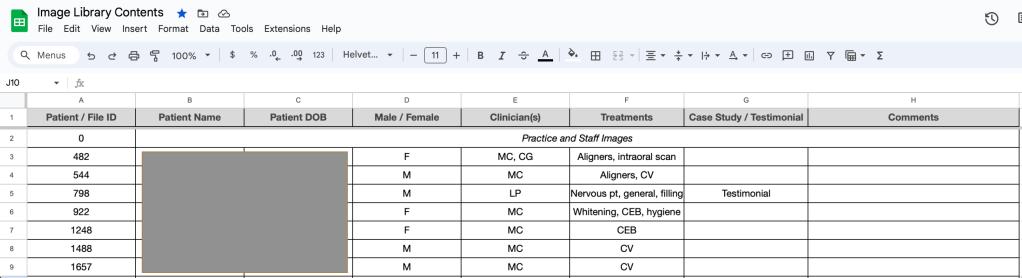
An image library contents spreadsheet to provide a clear overview of patients using their unique patient ID. My theory being that we can then search this spreadsheet by age, sex, treatment, clinician to locate suitable content easily.
Image Library with Unique File IDs

The library is made up of many folders, every patient ID becomes their file ID and the parent folder for every file is simply labelled by the unique file number.
Case Notes
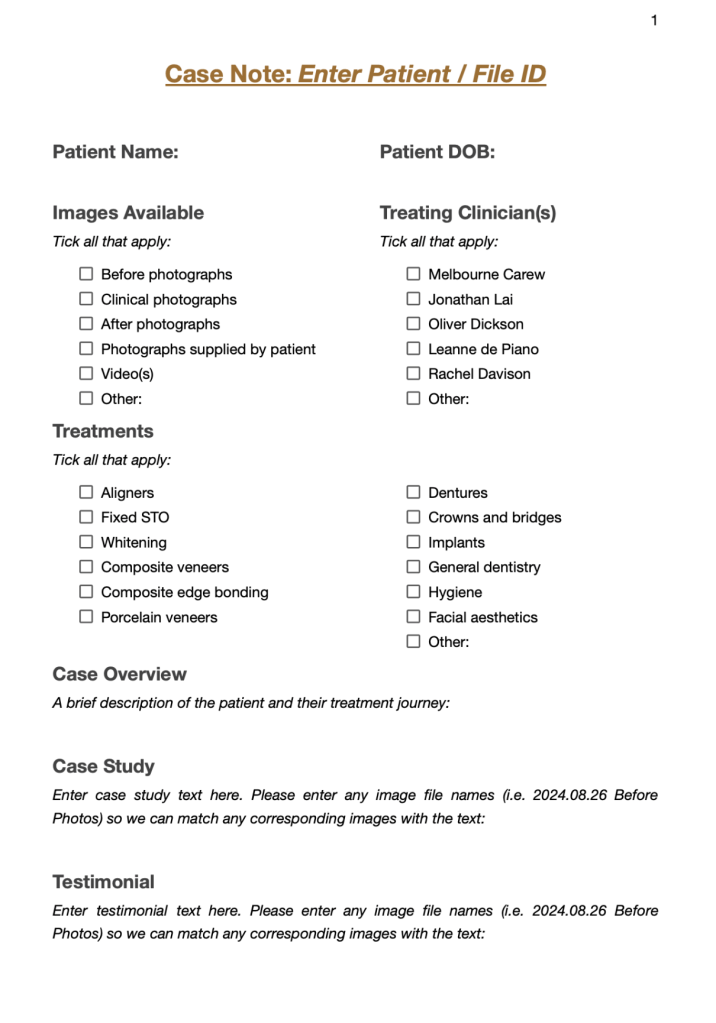
At the front of every file sits a case note, this is a simple form that at a glance provides all the information you need to know about the images collected in the files. It also contains all text stored for case studies and testimonials, and any notable information about the patient journey.
Storing the Images
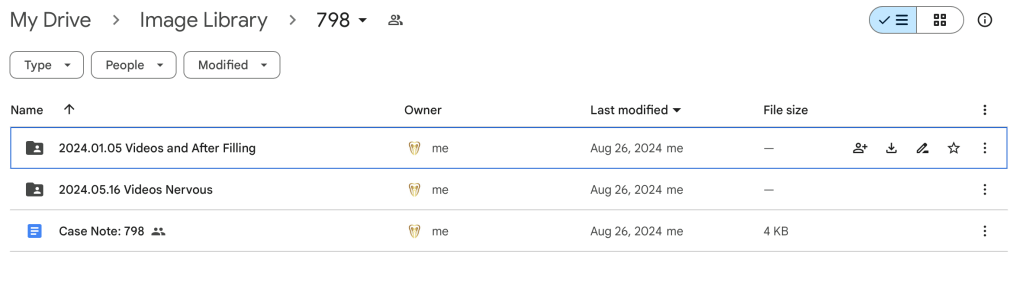
The images and videos are then entered into sub files labelled in date order with a very brief descriptor.
I hope this works like a dream, it was a pretty mundane task trawling through the chaos that existed, matching up the correct patients and creating all the case notes etc.
Notwithstanding, the team are robust in obtaining written consent for use of the images etc, and Google Drive is password protected and secure so I think all aspects are covered!
Will now wait and see how the team gets on with the new system … !!!
 JOANNA CAREW
Leave a comment